


“The most important thing in communication is hearing what isn’t said.” — Peter F. Drucker
This guide explains what speech analytics means for high-volume support operations and why leaders should care now. Many teams handle thousands of calls each day, yet roughly 98% of conversations go unused for action. That gap hides churn signals, quality issues, and win-back chances.
We will define the core technology, show how real-time processing reveals emotion and objections, and set expectations for an ultimate guide that covers tech, use cases, and buying criteria. You will learn how conversation analysis differs from simple voice logging and what executives, QA, and supervisors can act on.
Expect practical steps: end-to-end workflow, KPI alignment, and tool selection tips that map to lower cost-to-serve and better customer experience.
Why Most Call Center Conversations Still Go Unused
Teams capture conversations, but few turn into timely, actionable signals. Manual QA programs typically review only ~1–2% of recordings. That creates a large review gap where the biggest problems hide.

The call review gap and why sampling misses real trends
Random sampling leaves blind spots. Rare but costly issues—compliance slips or early churn language—show up in a tiny fraction of interactions. A 1–2% sample often never catches them.
Why annual analyses become obsolete before teams can act
Large, infrequent reports age quickly. Customer language, policies, and bugs shift fast. Waiting months to react raises call volume, transfers, and time-to-resolution.
| Approach | Coverage | Actionability |
|---|---|---|
| Manual sampling | Low | Disputed |
| Annual analysis | Partial | Outdated |
| Continuous automated analysis | High | Timely |
Operational risk: incomplete review means missed trends and weak evidence to persuade product or ops teams. Continuous, automated analysis closes the gap with defensible data leaders can act on now.
What Speech Analytics for Call Centers Actually Means
Transforming recorded conversations into clear, searchable business data is the core value of speech analytics. At its simplest, this software converts audio into structured records teams can query, trend, and report on.
Turning spoken words into a dataset
Audio first becomes a transcript with timestamps, speaker labels, and interaction metadata. Those spoken words then link to case IDs, outcomes, and channel tags.
This structure makes it possible to search for themes, measure frequency, and trace an issue over time.

How tagging taxonomies classify topics, priority, and sentiment
Platforms apply rules and taxonomies to label topics, subtopics, and urgency. A tag like “damaged packaging” can be measured across queues to spot week‑over‑week rises.
Customer sentiment is captured at scale, turning emotion into metrics rather than anecdote. Teams can quantify negative share and track if fixes reduce contact volume.
Natural language processing and machine learning move beyond simple keyword spotting to detect intent and context. The result: faster root‑cause identification, better prioritization for support teams, and reliable insights leaders can act on now.
“When audio becomes data, teams can prove a problem is rising and measure if fixes work.”
Speech Analytics vs. Voice Analytics in a Contact Center
Text and tone tell different parts of the same story; both matter for clear customer signals.
What was said: transcripts and natural language
What was said relies on speech-to-text plus natural language understanding. Transcripts reveal topics, intent, and key phrases that teams can search and tag. This layer powers topic trends, root-cause reports, and automated routing.
How it was said: acoustic cues and emotion
How it was said uses voice features—tone, pitch, tempo, volume, and silence—to surface emotion. These paralinguistic signals spot frustration, calm, or stress that text alone can miss.

Why the layers should work together
Combining both layers reduces false reads. For example, a neutral phrase delivered with rising pitch may indicate anger despite neutral wording. Cross-validating text with voice gives more reliable sentiment and better customer experience interpretation.
| Layer | Primary data | Outcome |
|---|---|---|
| Transcript | Text / natural language | Topics, intent, keywords |
| Acoustics | Voice features | Emotion, escalation points |
| Combined | Text + voice | Trustworthy sentiment, improved routing |
Result: richer signals let teams detect declines in customer satisfaction faster, tailor coaching, and route high-risk interactions for immediate review. Later sections show where each layer matters most for real-time assist, compliance, QA scoring, and churn prediction.
How Speech Analytics Software Works End to End
From capture to executive dashboards, each processing step affects accuracy, coverage, and speed. This section walks the standard pipeline so you can see why audio quality and enrichment matter for reliable analysis.
Call capture and audio prerequisites. Systems ingest live streams and backlogs. Good input needs clear channels, low noise, and adequate sampling rate. Poor audio raises transcription errors and reduces downstream performance.
Automatic transcription and metadata enrichment. Automatic speech recognition creates time-stamped transcripts. Platforms attach agent IDs, timestamps, queue tags, and duration so leaders can segment data by product, region, or team.
Natural language processing and machine learning. NLP and ML models classify topics and infer intent. This turns raw text into reportable themes and trendable metrics that support root-cause analysis.
Sentiment analysis and emotion detection. Robust systems use both text and acoustic cues to find moments that matter. Scores are tied to timestamps so supervisors can review precise escalation points.

| Audience | Output | Use |
|---|---|---|
| Supervisors | Real-time alerts | Immediate escalation |
| QA | Searchable evidence | Coaching and audits |
| Executives | Trend reports | Operational KPIs |
What good looks like: insights that require no data science team, ship to agent dashboards, and drive coaching and process change the same week. The right analytics software and analytics tools make that possible.
Real-Time Speech Analytics: What’s Possible Today
Detecting intent and emotion as a call unfolds makes intervention practical, not theoretical. Real-time processing analyzes audio and text while the interaction continues, so agents and supervisors can act before issues escalate.
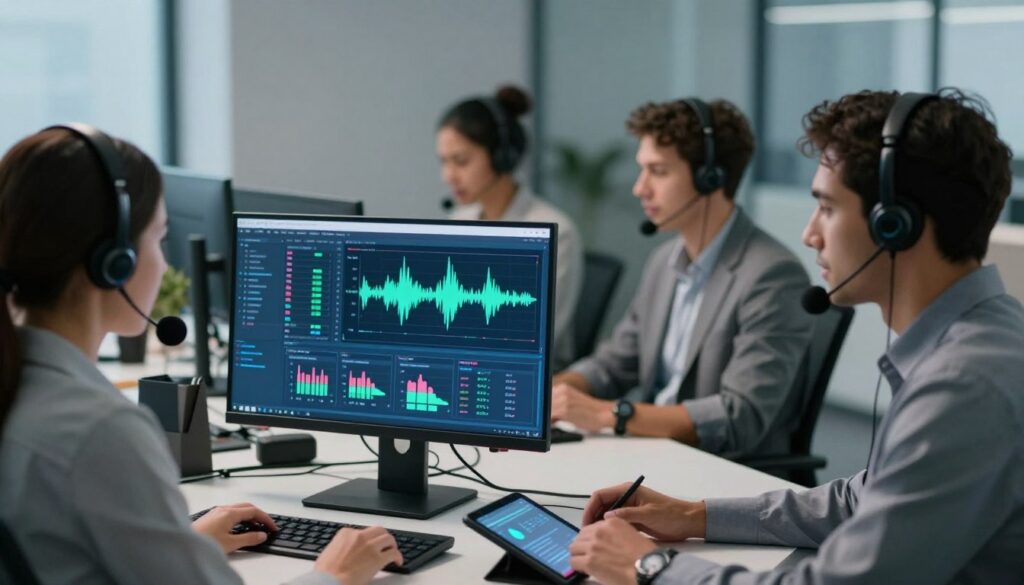
Live intent and sentiment detection for in-the-moment guidance
Live intent and sentiment detection spots rising frustration, churn phrases, or confusion and timestamps the exact moment they appear. That lets teams route high-risk interactions to senior staff and track outcomes.
Agent assist prompts and next-best actions during active conversations
On-screen prompts suggest the next-best action: confirm an account, read a disclosure, or offer retention options. These cues are lightweight and focused so agents can use them without losing flow.
Real-time compliance monitoring and supervisor escalation workflows
Platforms flag missing disclosures or banned language and can trigger supervisor workflows. Options include auto-alerts, priority queues, and whisper coaching so a manager can guide an agent silently.
“When detection happens live, teams resolve issues while the customer still cares.”
| Capability | What it detects | Immediate outcome |
|---|---|---|
| Live intent | Churn words, requests | Priority routing |
| Sentiment scoring | Rising frustration, calm | Agent prompts |
| Compliance flags | Missing disclosures, forbidden phrases | Supervisor alert |
Guardrails matter: use strict thresholds and low false-positive rates so tools support agents rather than distract them. The payoff is clear: fewer escalations, faster resolution, and better customer outcomes during the live interaction.
What Insights Speech Analytics Platforms Can Surface
Insights from real interactions show where the customer experience breaks down and why.
What “insights” mean: trends, drivers, correlations, and clickable evidence you can audit. Modern speech analytics platforms turn large volumes of conversations into searchable signals that map to product, billing, and policy problems.

Top call drivers and emerging issues across the journey
Top drivers report common reasons like “refund delays” or “website outage” and rank them by volume and impact.
Emerging issues detection spots sudden phrase spikes so teams fix bugs or policy gaps before they scale.
Sentiment trends and emotional turning points
Sentiment shows time-series trends and within-call turning points where tone shifts from calm to upset. Those moments often predict lost sales or repeat contacts.
Agent behaviors tied to outcomes
Platforms correlate agent performance signals — empathy phrases, interruptions, dead air — with resolution and customer satisfaction. Leaders use that evidence for targeted coaching and staffing changes.
| Insight type | What it finds | Immediate action |
|---|---|---|
| Drivers | Top reasons for calls | Prioritize fixes |
| Emerging issues | New phrase spikes | Trigger incident response |
| Behavior links | Agent patterns to outcomes | Coach or reward |
Business Impact and ROI Benchmarks Leaders Care About
Leaders judge new tools by dollars saved and measurable shifts in team performance.

Benchmark results: McKinsey clients report ~20–30% cost reduction and >10% lift in customer satisfaction after adopting speech analytics. Another industry source shows productivity gains up to 40% when coverage reaches near 100% of interactions.
Where the savings come from
Cost reductions appear as fewer repeat contacts, shorter handle times, and more effective self-service. Early detection of systemic issues prevents spikes that drive expensive triage work.
How satisfaction converts to revenue
Improved customer satisfaction leads to higher retention, easier upsells, and lower churn. Acting on top drivers quickly multiplies downstream revenue impact.
Measuring and scaling ROI
Start with AHT, FCR, and CSAT baselines, then measure trend changes after targeted fixes. Expect variance by industry; set a realistic window and favor repeatable wins.
“As models and taxonomies improve, the ROI tends to compound over time.”
| Metric | Typical uplift | Business outcome |
|---|---|---|
| Cost-to-serve | 20–30% | Lower operating spend |
| Customer satisfaction | +10%+ | Retention & revenue |
| Productivity | Up to 40% | Faster issue resolution |
Customer Experience Use Cases That Move the Needle
When teams cluster customer complaints, trends appear that simple QA misses. Those patterns point to friction points, repeat pain, and PR risks before they grow. Below are practical use cases that tie voice insights to clear outcomes.
Finding friction points early
How it works: cluster repeated phrases and tags to show rising volumes over weeks. Teams spot a surge in one issue and act fast.
Example: Lakrids saw a spike in “damaged packaging during delivery” and changed packaging and transport. Complaints fell 26% within a year.
Root cause analysis for repeat contacts
Use transcripts and timestamps to trace why customers call back. Often the root cause is a confusing policy, broken flow, or product defect.
Assign owners, fix the source, and watch preventable volume drop week over week.
Improving self-service and IVR
Insights reveal where customers get stuck—IVR menus, help articles, or account steps. Fix those friction points to reduce effort and speed resolution.
Detecting PR and reputational risks
Flag language that signals “going public,” posting online, or extreme dissatisfaction. Route those interactions to a rapid response team before social trends start.
| Use case | What it finds | Immediate outcome | Example |
|---|---|---|---|
| Friction detection | Clustered complaint spikes | Prioritize fixes | Packaging fixes → -26% complaints |
| Root cause | Repeat contact drivers | Reduce preventable volume | Policy rewrite → fewer callbacks |
| Self‑service gaps | Where customers get stuck | Improve guides and IVR | Updated help article → faster FCR |
| PR risk | Escalation language | Rapid response routing | Preempt social trend |
Operational playbook: run weekly cross‑functional reviews of top issues, assign owners, and track whether the chosen fixes lower the relevant driver. Pair voice signals with other channels to confirm a systemic problem.
Agent Performance and Quality Assurance at Full Coverage
When every conversation is scored, supervisors move from guessing to targeting the behaviors that drive results. Automated QA evaluates up to 100% of calls, replacing the old 1–2% sampling model.
Why full coverage changes coaching: leaders see consistent patterns and rare edge cases. That clarity lets teams prioritize the behaviors that actually correlate with good outcomes rather than anecdote.
Automated scoring and faster coaching
Systems score calls against criteria like correct greeting, required disclosures, empathy language, interruption frequency, and confirmed resolution steps. Scores create fair, consistent baselines that reduce reviewer bias.
Transcripts, AI summaries, and signal-based review
Transcripts and short AI summaries show the “why” without replaying long calls. Supervisors can jump to key moments—dead air, escalation triggers, transfers—and coach on specific behaviors.
Performance signals that matter
Useful metrics include talk/listen ratio, dead air time, escalation flags, transfer rates, and compliance adherence. Combine these signals to spot coaching needs and measure progress by cohort.
Practical workflow: identify top behaviors linked to better outcomes, run targeted micro-coaching, and track improvements weekly. Position analytics as development support, not surveillance, to boost adoption and morale.
“Scandinavian Biolabs used conversation attribution to coach handling of difficult feedback and saw clearer improvements across agents.”
| Focus | What it measures | Outcome |
|---|---|---|
| Greeting & disclosures | Script adherence | Compliance & trust |
| Empathy language | Use of rapport phrases | Higher customer satisfaction |
| Talk/listen | Ratio and dead air | Better resolution rates |
CSAT, NPS, and Voice of Customer: Adding Context to Scores
Survey scores rarely explain what actually happened during a customer interaction. CSAT and NPS give a number but often lack comment text, leaving teams to guess which issues caused a low rating.
Map scores to topics by linking survey responses to the transcript and voice signals. Even when customers skip comments, voice customer data can show which issues correlate with detractors. That turns a raw metric into actionable insights managers can prioritize.
Connecting words and feelings to explain detractors
Combine what customers say with customer sentiment markers — tone, pauses, and emotion — to explain low scores. When topic tags align with negative sentiment, you can pinpoint the exact moment service failed.
Designing targeted training from evidence
Use those findings to build focused coaching. Target the topics and moments where sentiment drops and agents struggle. Scripts, micro‑training, and role plays should address the specific phrases and transitions that produce detractors.
Close the loop: update playbooks, refresh knowledge articles, and revise scripts for the topics most tied to low customer satisfaction. Track score changes after fixes and iterate.
| Action | What it fixes | Outcome |
|---|---|---|
| Score-to-topic mapping | Hidden drivers | Priority list for fixes |
| Sentiment-linked coaching | Agent moments that fail | Higher CSAT |
| Closed-loop updates | Process & content gaps | Fewer repeat contacts |
“Lakrids connected feedback signals to drivers and improved CSAT by 9% in under 12 months.”
Governance note: protect privacy and use voice customer records ethically. Apply access controls, anonymize where possible, and document use cases so leaders can defend prioritization with data, not anecdotes.
Compliance Monitoring and Risk Reduction in Regulated Industries
Regulated industries treat every customer interaction as a legal record, not just a service moment. Finance, insurance, and healthcare teams need systems that check required language every time a contact happens. A single missed disclosure or wrong phrase can trigger fines, litigation, or licensing risk.
Flagging missed disclosures and mandated script requirements
Automated checks scan transcripts and audio features to find skipped or paraphrased mandated text, including PCI and HIPAA phrases. When an agent omits a required line, the system tags the call and creates evidence for review.
Building an audit trail across agents, regions, and vendors
Modern tools store searchable records by agent, region, queue, and outsourced vendor. That audit trail speeds internal reviews and supports external audits with time-stamped proof and human‑readable summaries.
Routing high-risk interactions for fast review and intervention
High-risk routing workflows combine automatic tagging with real-time alerts. Matches go to compliance teams, trigger supervisor escalation, and enter prioritized QA queues for immediate action.
Balance precision and workload: start with a narrow set of required phrases, validate accuracy, then expand checks to broader risk categories. Tune thresholds to minimize false positives while catching true violations.
| Feature | What it does | Business outcome |
|---|---|---|
| Missed disclosure flags | Detects skipped mandated text | Fewer regulatory violations |
| Searchable audit trail | Indexes calls by agent/region/vendor | Faster audits and defense |
| High-risk routing | Auto-tags and alerts compliance teams | Faster remediation, lower fines |
Operational Efficiency Wins: AHT, FCR, and Forecasting
Small process snags can add minutes to every interaction; finding them is where big savings begin. Platforms that turn audio into searchable evidence help teams see which steps lengthen handle time and why.
Reducing average handle time by pinpointing process and knowledge gaps
Identify exact bottlenecks: repeated authentication, unclear policy language, and redundant verification often extend AHT. Tagging those moments lets ops simplify scripts and cut minutes per interaction.
Leaders fix knowledge gaps by spotting the questions that force holds or transfers, then update the internal knowledge base so agents stop searching during live interactions.
Improving first-call resolution by uncovering true failure points
FCR rises when teams find root causes like misrouting, incomplete troubleshooting, or missing follow-up steps. A 1% FCR improvement can boost NPS by ~1.4 points and save a midsize center roughly $286,000 annually.
Actionable insight: map transcripts to outcomes and redesign handoffs that commonly lead to repeat contacts.
Capacity planning using voice-driven demand signals and call trends
Voice-derived demand signals reveal why volume changes, not just that it changed. Emerging topics and sentiment shifts act as early warnings for spikes.
For example, after a product release, a surge of feature-related contacts confirms the root driver and helps ops coordinate staffing, product fixes, and comms.
| Focus | What it reveals | Operational outcome |
|---|---|---|
| Process steps | Authentication & handoff delays | Lower AHT |
| Knowledge gaps | Questions causing holds | Updated KB & faster resolution |
| Demand signals | Emerging topics & sentiment shifts | Improved forecasting & staffing |
| FCR drivers | Misrouting & missed follow-ups | Fewer repeat calls, higher NPS |
“When you know which step costs time, you can redesign the process and measure savings the next week.”
How to Implement Speech Analytics Tools in a Call Center
Start small: pick a measurable problem and let results drive expansion. Begin with one clear KPI—reduce AHT by 15% or boost FCR by 10%—so the project delivers tangible wins, not just more data.
Set goals and measure outcomes
Pick 3 core KPIs such as AHT, FCR, and CSAT. Tie each to a baseline and a target window. Report progress weekly and use quarterly ROI checks to justify scale.
Integrate systems and map identities
Connect the platform to call recording feeds, CRM records, and help desk tickets. Identity mapping links transcripts to customer accounts so insights become routed tasks and closed tickets.
Configure categories, rules, and alerts
Define categories and keywords aligned to products and policies. Build sentiment rules and escalation alerts for churn or compliance risk. Keep the first rule set narrow to avoid noise.
Train teams and protect trust
Teach agents and supervisors to use insights as coaching tools, not surveillance. Share examples of how tags drive faster resolutions and improved outcomes to build adoption.
Run a continuous improvement loop
Operate a cadence: weekly driver reviews, monthly taxonomy updates, and quarterly ROI reports. As customer language shifts, refine categories and retrain models so the tools stay accurate and useful.
| Step | What to do | Timeline |
|---|---|---|
| Goal setting | Select KPIs and baselines | Week 1–2 |
| Integration | Connect recordings, CRM, help desk | Weeks 2–6 |
| Config & rules | Categories, keywords, alerts | Weeks 3–8 |
| Change management | Train agents & supervisors | Ongoing from launch |
What to Look For When Evaluating Speech Analytics Software
A buying decision hinges on core capabilities: accuracy, speed, channel coverage, and whether insights drive action.
Transcription accuracy is the floor. If ASR mis-transcribes key phrases, topic tagging, sentiment, and compliance flags all degrade. Ask vendors to run accuracy tests on your audio and accents before you buy.
Real-time vs. post-call: real-time systems enable intervention and compliance alerts; post-call workflows are better for trend work, coaching, and taxonomy development. Match capability to your operational need.
Omnichannel and usability
Look for unified coverage across voice, chat, email, surveys, and social so you get a single view of the customer journey.
Dashboards should let non-technical teams drill from executive trends to exact interactions with filters by queue, product, or time.
Customization, scale, and integration
Confirm you can add custom categories, tune thresholds, and scale volume without performance loss.
Integration depth matters: two-way workflows that push tags or routing decisions back into CRM and help desk systems unlock automation and faster remediation.
| Demo focus | What to ask | Why it matters |
|---|---|---|
| Accuracy proofing | Run your audio | Shows real-world transcription performance |
| False positive visibility | View flagged examples | Validates precision for alerts |
| Admin usability | Time-to-value demo | Predicts deployment speed and adoption |
Top Speech Analytics Platforms and Software Options in the Market
Choosing the right platform starts with matching capabilities to the outcomes you need. The best vendor depends on whether you prioritize QA depth, enterprise consolidation, omnichannel VoC, real-time coaching, or strict compliance.
SentiSum
SentiSum focuses on conversation analytics across feedback channels. Its taxonomy-driven approach helps CX and product teams turn multi‑channel signals into prioritized fixes.
Calabrio
Calabrio pairs recording and quality management with embedded coaching workflows. Ops teams use it to score full coverage and streamline day‑to‑day evaluations.
NICE CXone
NICE CXone is an enterprise contact center suite with advanced reporting, governance, and scalable analytics features for large environments.
Other notable options
CallMiner excels at deep root‑cause analysis. Verint links insights to workforce optimization. Nexidia is strong on acoustic compliance. Nextiva offers UCaaS/CCaaS simplicity. Sprinklr focuses on omnichannel real‑time assist.
| Vendor | Strength | Best for |
|---|---|---|
| SentiSum | Multi‑channel taxonomy | VoC & product teams |
| Calabrio | Recording & QA coaching | Operational QA |
| NICE CXone | Enterprise CCaaS + reporting | Large governance needs |
| Others | Root cause, WFO, compliance, UCaaS | Specialized use cases |
Shortlist tip: map requirements to KPIs, validate accuracy on your own calls, and run apples‑to‑apples tests with the same call set, categories, and success criteria.
Conclusion
Turn routine contact recordings into usable signals that drive faster fixes and clearer priorities.
Operationalizing speech analytics converts everyday conversations into searchable data. That shift moves teams from sampled checks to near‑full coverage and steadier agent performance.
The tech stack links speech‑to‑text, natural language processing, acoustic markers, dashboards, and workflows. Accuracy and tight integrations build trust so leaders act on real evidence.
Outcomes are measurable: lower cost to serve, higher customer satisfaction, stronger compliance, and better forecasting. Start with one focused use case—repeat contacts, missing disclosures, or low CSAT drivers—and prove value fast.
Prioritize accuracy, usability for nontechnical users, and two‑way integrations that push insights back into CRM. Your center already creates the data; use the right tools to put it to work across teams and products.